Introducing Liveblocks Sync: the sync engine for the agentic web
Liveblocks Sync is our sync engine for the agentic web, enabling you to build multiplayer applications where humans, agents, or both, can edit documents together in realtime. Previously known as Storage, it now includes LiveText, a new alternative for Yjs.
Today, we’re introducing Liveblocks Sync, our sync engine for the agentic
web. Using Sync, you can build realtime multiplayer applications where humans,
agents, or both, can edit documents at the same time.
Sync was previously known as Liveblocks Storage, but we’ve expanded its scope to
include features for the modern web, such as
LiveText, our new collaborative text editing technology,
an alternative to the popular Yjs library.
Sync is for anyone building an app around documents or artifacts, such as text
editors, canvases, spreadsheets, flowcharts, AI workspaces. It’s especially
useful if you don’t have a dedicated team of infrastructure engineers, or you’d
rather not spend months building realtime collaboration from scratch.
When people and agents edit a document at the same time, the last write usually
wins, and everyone else loses their work. WebSockets can stream changes, but a
live connection is still not a consistent document, and leaves you with issues:
Conflicting edits: Users lose data when editing at the same time.
Network latency: Every change needs to wait for a remote confirmation.
Reconnection: Poor networks risk losing user data when reconnecting.
Persistence: State is lost when the session ends or the page reloads.
Liveblocks Sync is a sync engine that integrates into your app, enabling
multiplayer experiences where humans, agents, and devices work on the same
document together. When using it, you update a shared document as if it were
local state, and the engine solves each of those problems for you:
Liveblocks acts as the source of truth, safely merging simultaneous edits.
Local changes apply immediately, before syncing in the background.
When a user disconnects, offline edits queue locally and merge on reconnect.
Documents automatically save to our scalable, persistent storage.
Liveblocks Sync supports any product experience where people, agents, or
devices share live state—from canvases, to flowcharts, text editors, and more.
Storage is a
CRDT-like
primitive, inspired by Figma’s multiplayer technology, that allows you to read
and write to
conflict-resolved
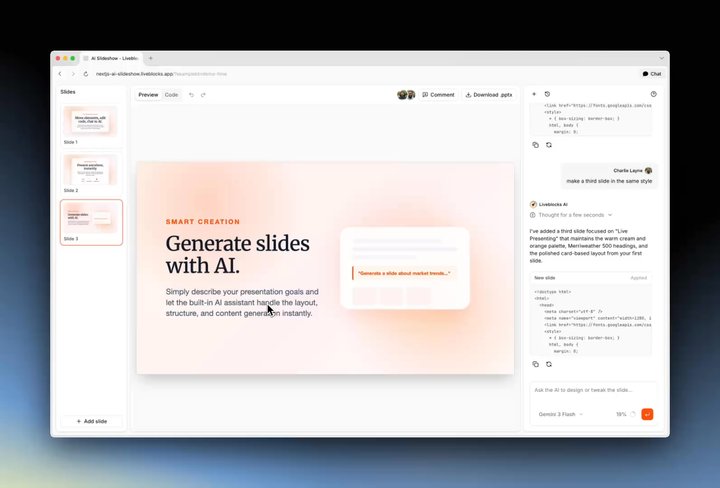
collaborative state, allowing you to build true multiplayer documents. For
example, in the video below, Storage is used to store slides and their content.
Under the hood, Storage uses
conflict-free data types
to read and write to collaborative state. These data types work similarly to
JavaScript structures, such as objects, arrays, and strings, except they sync
their data in realtime, merging changes automatically.
import{ LiveObject, LiveList, LiveText }from"@liveblocks/client"; // Create a list of slidesconst slides =newLiveList([]); // Create a new slideconst newSlide =newLiveObject({ title:"Untitled", content:newLiveText(["<h1>Welcome!</h1>"]),}); // Add the new slide to the list=slides.push(newSlide);
In React, state can be read and modified using the useStorage and
useMutation hooks respectively. For example, you can fetch a list of every
slide, create a callback to add new ones, and add these to your app’s UI.
import{ useStorage, useMutation }from"@liveblocks/react/suspense"; functionSlides(){// Fetch realtime data, e.g. an array of slidesconst slides =useStorage((root)=> root.slides); // Update realtime data, e.g. add a new slide to the arrayconst addSlide =useMutation(({ storage })=>{const newSlide =newLiveObject({ title:"Untitled", content:newLiveText(["<h1>Welcome!</h1>"]),}); storage.get("slides").push(newSlide);},[]); return(<div>{slides.map((slide)=>(<Slidekey={slide.id}slide={slide}/>))}<buttononClick={addSlide}>➕ Add Slide</button></div>);}
These hooks update in realtime as other users edit the document, and your app
re-renders accordingly. Learn more about Storage.
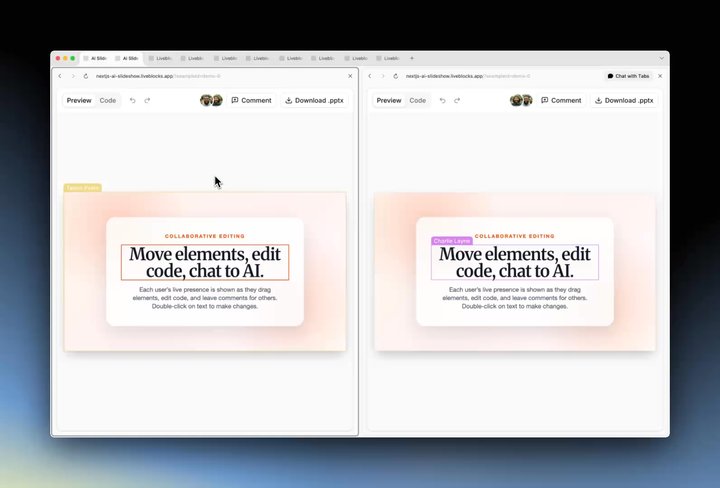
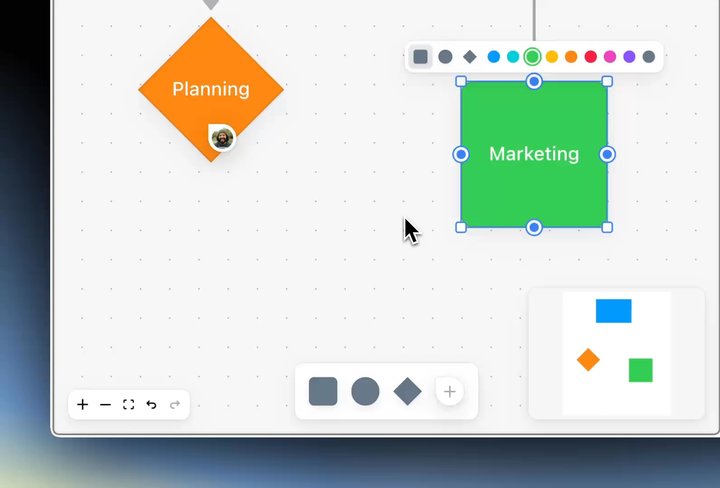
Presence is another primitive, it allows you to show realtime user activity
in your application, such as live cursors or an avatar stack. In the video
below, a user’s live cursor is shown, and their avatar appears when they edit an
item.
With the useOthers React hook, you can retrieve an array of every other
connected user, and render presence how you like. For example, to show an avatar
for each connected user, you can use the following code:
import{ useSelf, useOthers }from"@liveblocks/react/suspense"; functionAvatarStack(){// Get an array of every other connected userconst others =useOthers(); // Render an avatar stackreturn(<div>{others.map(({ connectionId, info })=>(<imgkey={connectionId}src={info.avatar}alt={info.name}/>))}</div>);}
For more complex presence, add useUpdateMyPresence to share JSON presence
values with other users, such as whether a user has selected an input.
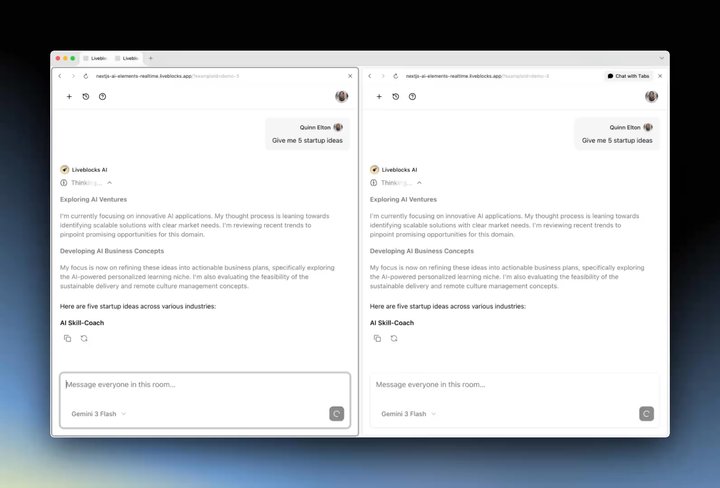
Feeds is a primitive that allows you to create realtime paginated streams of
data. Use it to build AI chats with memory, display live agent activity, and
give users a complete history of conversations and completed work. You can
stream messages from both the client or server and display them live in your
application.
To set this up, stream messages into your UI with useFeedMessages, and
create new messages with useCreateFeedMessage. With these hooks, you can
create a chat interface like the one in the video above, using a UI library of
your choice.
To render a generated response from the AI, use createFeedMessage to
create a new message, then use updateFeedMessage to stream in each chunk
of the AI’s response.
"use server"; exportasyncfunctiongenerateResponse(roomId, feedId, messages){const messageId = crypto.randomUUID(); await liveblocks.createFeedMessage({ roomId, feedId, messageId, data:{ role:"assistant", content: text },}); const{ textStream }=streamText({ model:"openai/gpt-5.6-sol", system:"You are a helpful assistant in a team chat.", messages,}); let content =""; forawait(const chunk of textStream){ content += chunk;await liveblocks.updateFeedMessage({ roomId, feedId, messageId, data:{ role:"assistant", content },});}}
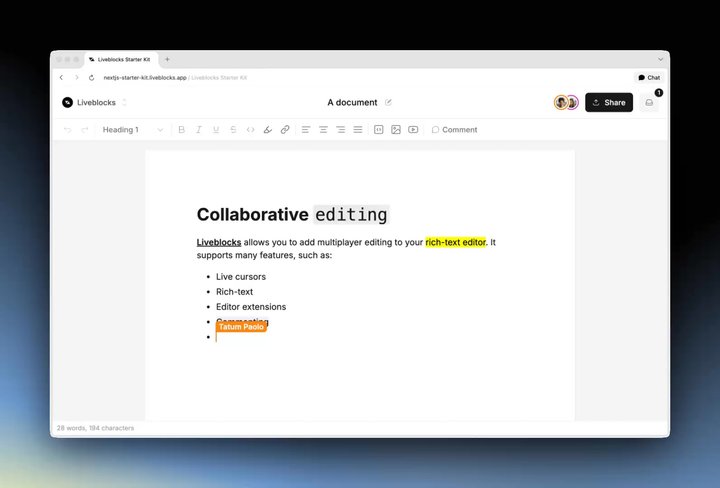
Sync allows you to add fully-featured collaborative text editing to your editor,
enabling a multiplayer experience like Google Docs. Start with one of our
ready-made integrations for editors like Tiptap, BlockNote, CodeMirror, or build
from scratch with Yjs or LiveText,
our new collaborative text editing technology.
Each editor requires different setup code, but they’re all similarly easy to
integrate. Plus, extend your own editor with any extensions or plugins, and Sync
will ensure they’re multiplayer too, for example with
our Tiptap integration.
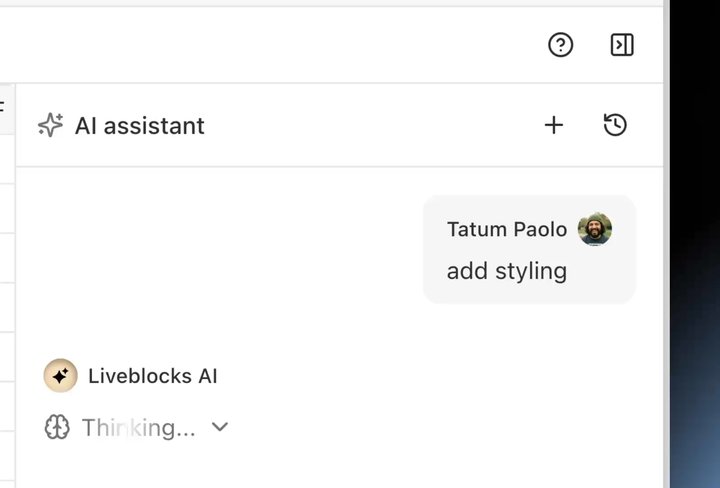
Sync’s APIs were designed with AI in mind, allowing you to build agents that can
edit documents in realtime and show their presence, in the same way as humans.
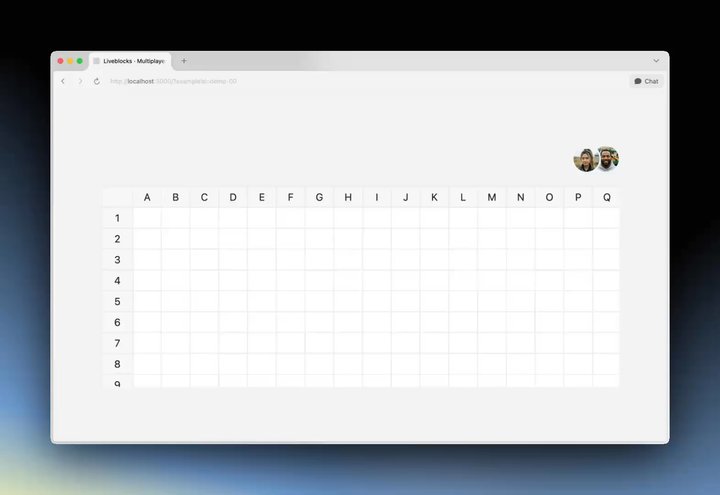
For example, in the video below an agent reads the Storage-powered spreadsheet,
highlights the cells it changes, and leaves comments.
To edit your Storage document from the server, use mutateStorage. Call
setPresence first so users can see which cell the agent is editing.
const cellId ="B2"; await liveblocks.mutateStorage("my-room-id",({ root })=>{const cells = root.get("cells"); // Show presence around the cell that's being editedawait liveblocks.setPresence("my-room-id",{ userId:"agent-123", userInfo:{ name:"Agent"}, data:{ editing: cellId, status:"Thinking…"}, ttl:15,}); // Generate an AI responseconst{ text: value }=awaitgenerateText({ model:"openai/gpt-5.6-sol", prompt:`Fill in cell ${cellId}. Here are all the cells: ${cells.toJSON()}`,}); // Update the cell with the AI response cells.set(cellId, value);});
This is a simple example, but you can take this a step further and, for example,
stream in edits to each cell as an AI generates them too. Learn more about
Agentic users.
Version history is a staple feature for collaborative applications, allowing
users to revert their documents to previous states. Sync supports this, allowing
you to automatically create snapshots at intervals, or manually create them when
you wish. List versions in your app and let users restore them when needed.
Version history supports both Storage and Yjs document. To list a room’s
versions use the useHistoryVersions hook, and for example to restore a
Storage document, use the useRestoreToStorageVersion hook.
Undo and redo are
notoriously difficult to implement in multiplayer applications,
but Sync supports it out of the box, enabling you to build undo/redo buttons
with a few lines of code. When pressing undo, only the current user’s changes
are reverted, and others’ changes are preserved—each user has their own history.
To add undo buttons to your application, simply use useUndo to take the
action, and useCanUndo to determine whether the action is available.
Similar hooks are available for redo, making this one of the simplest operations
in Sync.
You can also choose to pause undo/redo history when a single gesture should
count as a single undo step. For example, when a user drags a shape across a
canvas—it moves 200 pixels, but you wouldn’t want to press undo 200 times.
Pausing history allows you to merge this drag action into one undo action.
Liveblocks provides a powerful built-in permissions system, allowing you to
control which users, groups, and organizations can read and write to your
document. This is particularly helpful for creating share dialogs, a proven way
to increase MAU, like you’d find in Google Docs or Notion.
When users connect to Liveblocks, they are assigned a userId, groupIds, and
more. You can then use these to control access to your document when creating a
room. In the snippet below, Olivier has full access, but the design team can
only read and not write.
await liveblocks.createRoom("document-a",{// The design team has read-only access groupsAccesses:{"design-team":["*:read"],}, // This user has full access usersAccesses:{ olivier:["*:write"],},});
You can also create workspaces, and update permissions for a room at any time.
Learn more about Permissions.
You don’t need to build your application from scratch to use Sync, it plugs
directly into the libraries you’re already using. Each integration adds
multiplayer editing and presence around the library’s existing APIs, so you keep
your current setup, and we handle the collaboration.
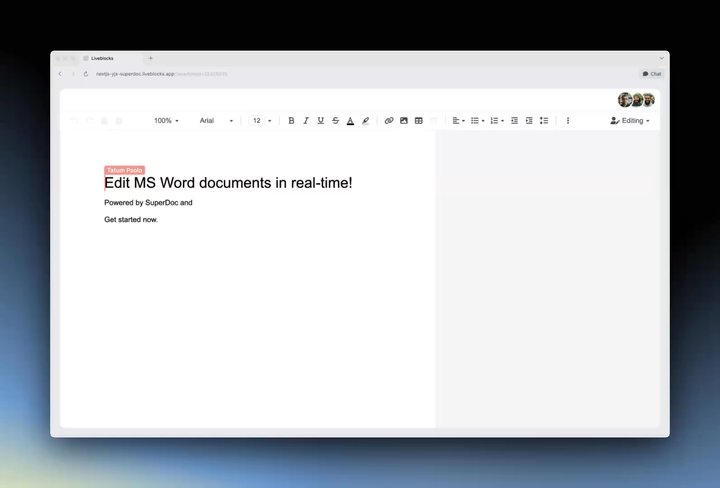
Add Google Docs-style editing to various rich-text editors, including
Tiptap, BlockNote, Lexical, ProseMirror, Slate, Quill,
and SuperDoc. Each editor has different strengths and abilities, for
example, BlockNote comes with built-in block-based editing, whereas SuperDoc
enables collaborative .docx editing.
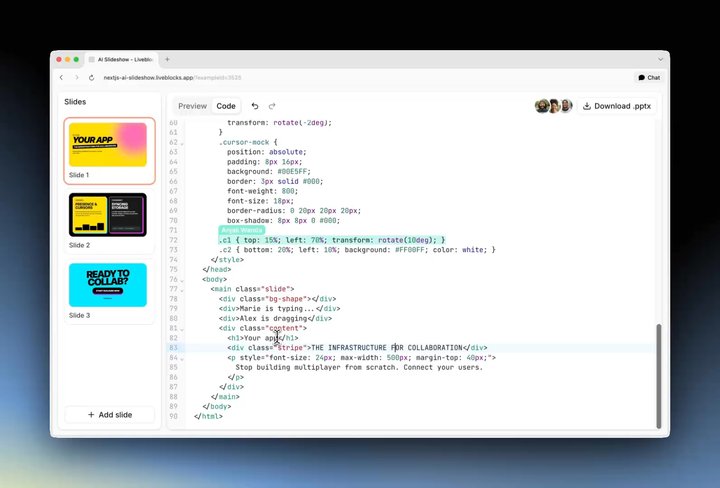
Build collaborative coding experiences with CodeMirror, which we now support
out of the box, and Monaco, the editor that powers VS Code. Ideal for AI
code generation, technical interviews, and pair programming, with each user’s
cursor and selection visible as they type.
Editing with CodeMirror in the AI Slideshow example
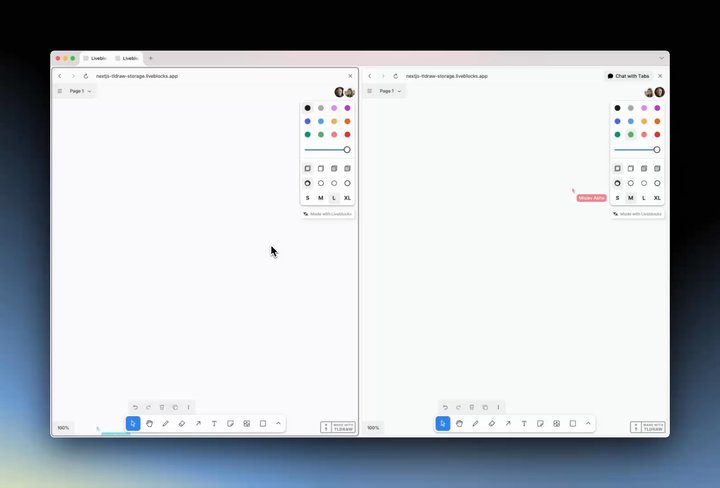
Make whiteboards and drawing canvases multiplayer with Tldraw. Users and
agents can sketch, move shapes, and annotate the same board at once, with every
change merged conflict-free.
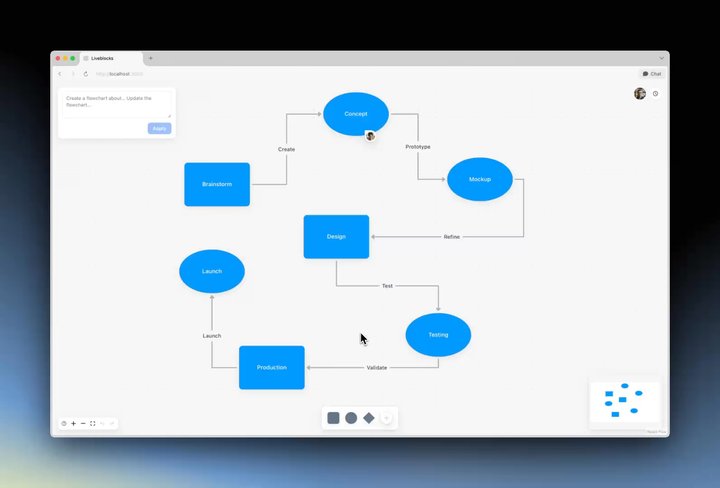
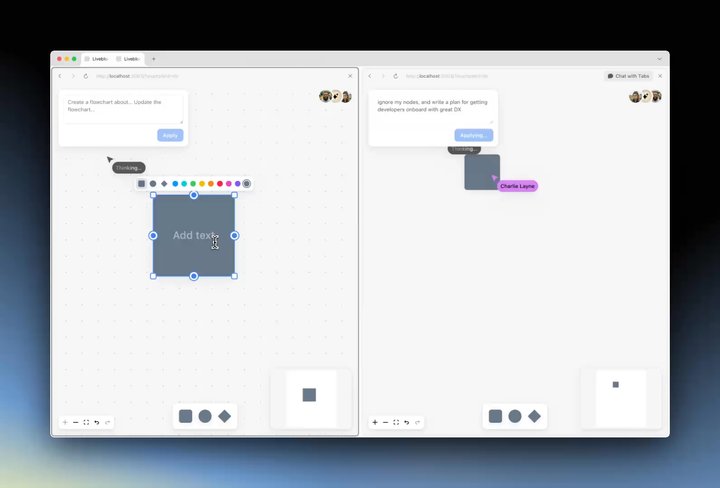
Build collaborative diagrams and node-based editors with React Flow. Drag
nodes, draw connections, and watch others’ cursors edit the flow in
realtime—ideal for creating workflow builders.
AI and human collaboration in the AI Flowchart example
Turn Handsontable and AG Grid into collaborative spreadsheets. Users can
edit cells simultaneously, see who’s working where, and leave contextual
comments on rows and cells.
Build multiplayer AI chats with chat UI libraries like
AI Elements. Every user sees messages
and AI responses streamed live, and can create and switch between shared
conversations.
Liveblocks Sync is available today! Follow our get started guides to add
realtime collaboration to your app in minutes. And if you’d like support
evaluating Liveblocks Sync before starting, schedule a scoping call with our
team.